

Introduction:
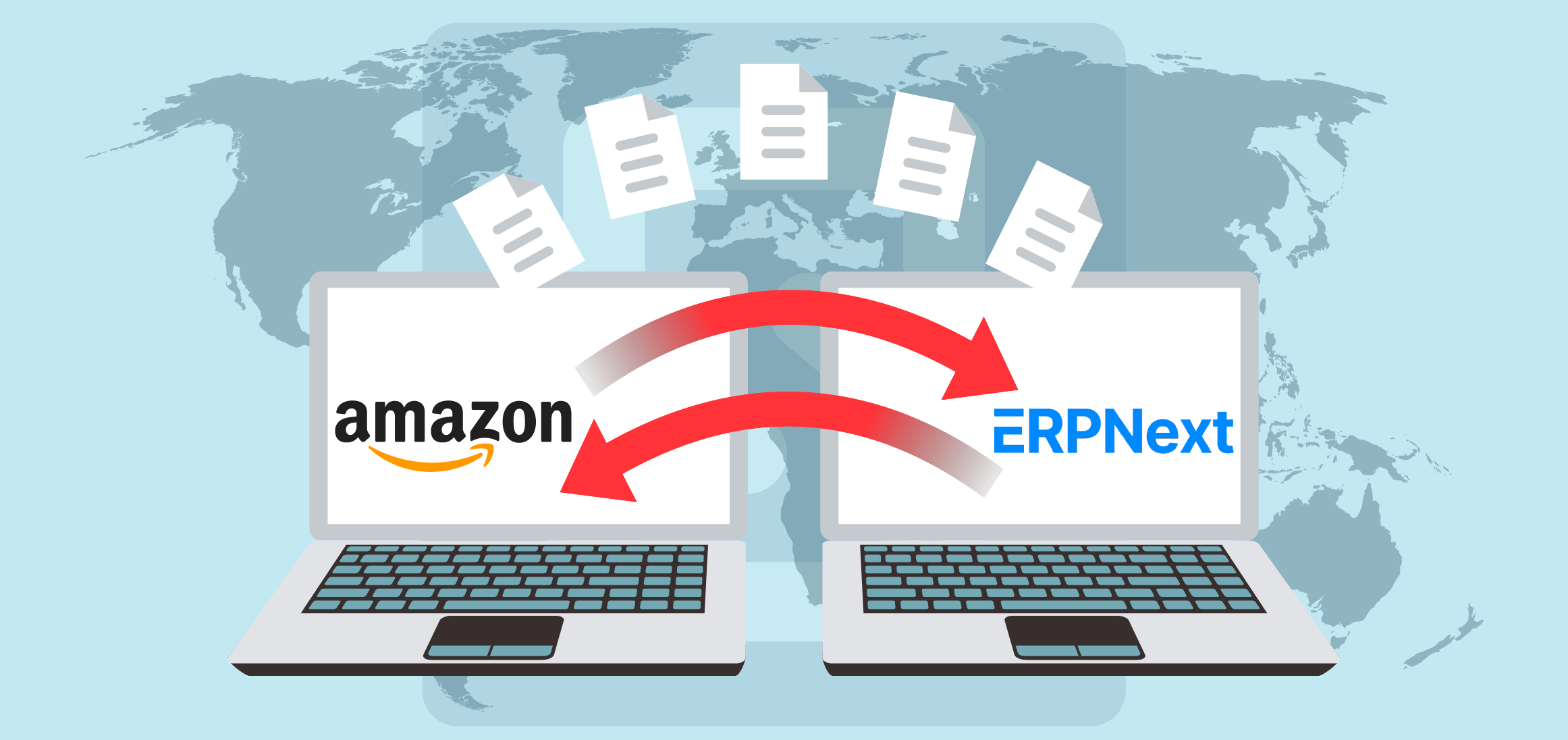
In the world of ERPNext, there exists a notable module known as “eCommerce Integration”, which is specifically designed to connect seamlessly with various eCommerce platforms. Through this integration, ERPNext users gain the ability to import important Amazon data into their ERPNext system. This includes critical information such as customer details, tax data, product listings and more, all accessible through the use of Amazon’s API keys. With this integration, businesses can consolidate their operations and increase efficiency by centralising and synchronising data across platforms.
Key Features and Functionalities:
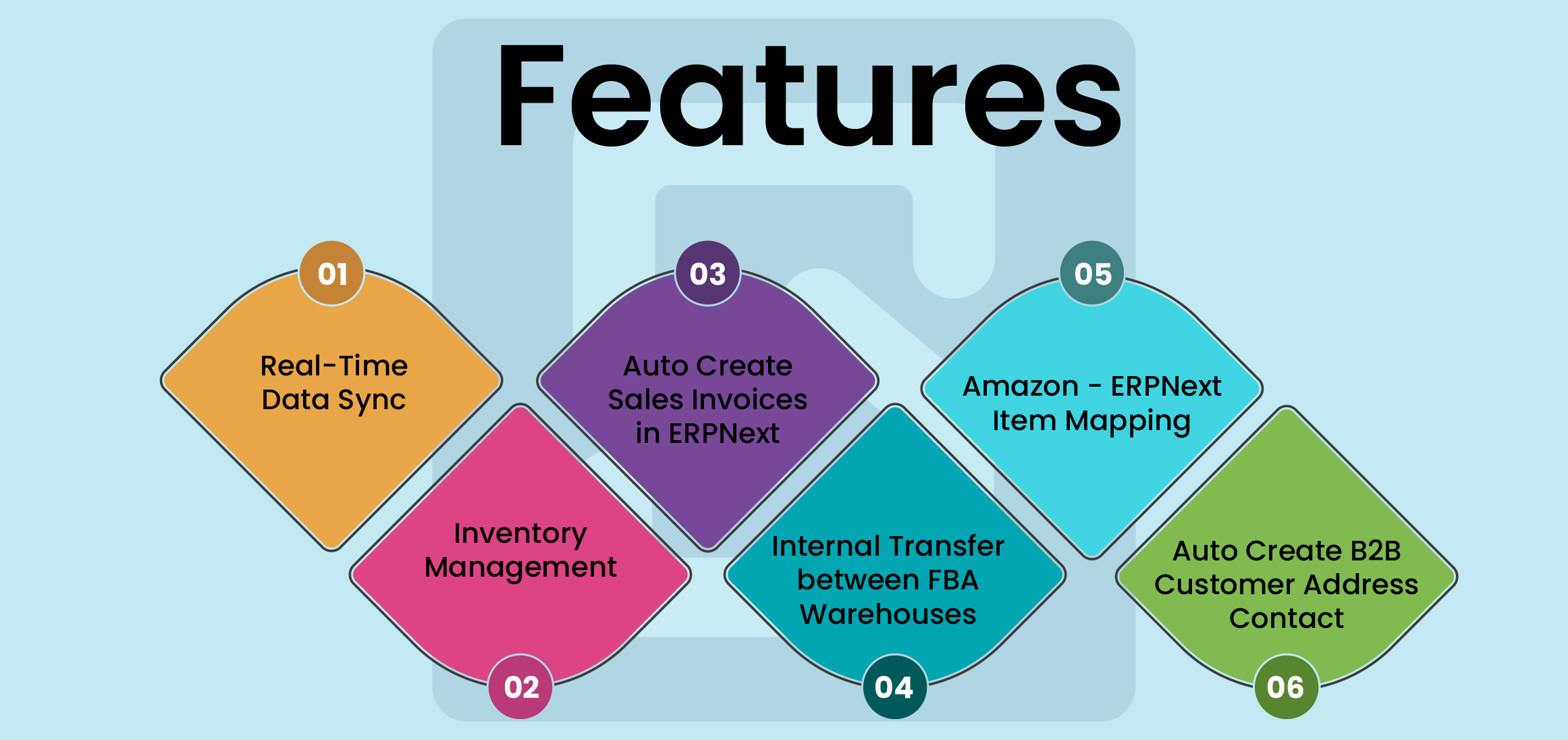
- Real-Time Data Sync
- Inventory Management
- Auto Create Sales Invoices in ERPNext
- Internal Transfer between FBA Warehouses
- Amazon – ERPNext Item Mapping
- Auto Create B2B Customer Address Contact
Benefits of Integration:
Integrating ERPNext with Amazon unlocks a treasure trove of benefits, revolutionising how businesses operate in the digital landscape. From well-organized operations and centralising data management to increase customer experiences and driving scalable growth, the advantages are boundless. Businesses gain real-time visibility into inventory levels, automate order processing, and personalise interactions with customers. With seamless integration, efficiency soars, productivity soars, and expansion opportunities abound.
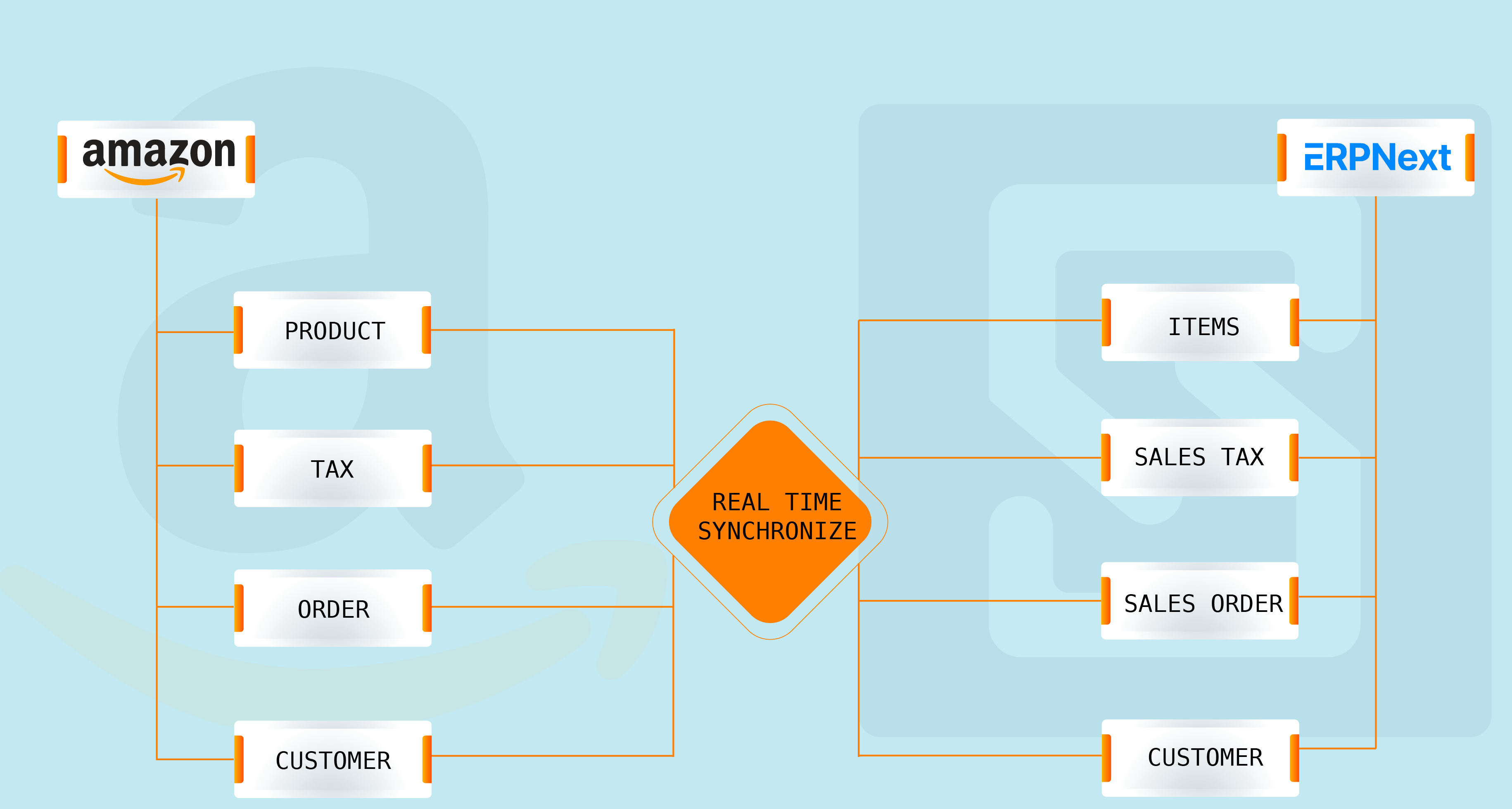
To the integration process, first, navigate to Amazon Seller Central and request the necessary developer credentials upon becoming a registered seller. These credentials include the IAM ARN, Refresh Token, Client ID, Client Secret, AWS Access Key, AWS Secret Key, and Country information. Once received, proceed to input these credentials into your ERPNext system.
Next, Check out into ERPNext’s settings to configure vital details such as Company information, Warehouse location, Parent Item Group, Price List, Customer Group, Territory, Customer Type, and account. Notably, the Account Group is a repository for commissions, taxes, and other fees associated with Amazon transactions.
After carefully configuring these settings, activate the integration by toggling the “Is Active” switch and saving the changes. After completing these steps, your ERPNext system is now integrated with Amazon, facilitating smooth data exchange and enhancing operational capability.
Conclusion:
Integrating ERPNext with Amazon revolutionizes business operations by streamlining processes and increasing efficiency. Real-time data sync, automated inventory management and personalised customer interactions drive growth and scalability. Setting up integrations through the Amazon SP-API connector enables seamless data exchange, enabling businesses to navigate the complexities of modern commerce with confidence
Join the conversation. Share your thoughts or questions about this article below.
No comments yet. Be the first to share your thoughts!